


Tired of Cheap Keyboards That Feel Bad After a Few Hours?
You probably don’t think much about your keyboard — until it starts annoying you every single day.
Sticky keys, mushy typing, loud spacebars, missed keystrokes… it adds up fast. Whether you work from home, study online, write emails, code, or casually game at night, your keyboard is something you touch for hours every day.
And here’s the surprising part:
You no longer need to spend $150+ to get a satisfying mechanical keyboard.
Budget mechanical keyboards have become incredibly good in 2026. Some now offer smooth switches, RGB lighting, wireless support, and premium typing comfort at prices that actually make sense.
If you want a keyboard that feels better, lasts longer, and makes everyday typing more enjoyable without draining your wallet, you’re in the right place.
What You’ll Get From This Guide
This post breaks down:
- The best budget mechanical keyboards for daily use
- Which keyboard styles fit different lifestyles
- Real pros and cons most reviews ignore
- Features that actually matter
- Common buying mistakes to avoid
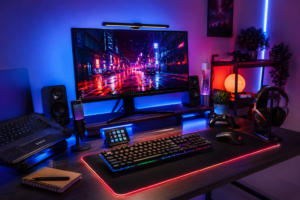
Whether you’re building a clean desk setup, upgrading from a laptop keyboard, or simply want a more comfortable typing experience, these picks deliver real value.
Why Mechanical Keyboards Are Worth It
A good keyboard changes how your entire setup feels.
Most cheap membrane keyboards feel soft and inconsistent. Mechanical keyboards use individual switches under each key, giving you:
- Better typing feedback
- Faster response times
- More comfort during long sessions
- Longer lifespan
- A cleaner, more premium feel
Even casual users notice the difference almost immediately.
1. Redragon K552 Kumara
Best Overall Budget Mechanical Keyboard
The Redragon K552 has stayed popular for years because it nails the basics.
It’s affordable, durable, and surprisingly solid for the price.
Why People Like It
- Strong metal frame
- Clicky and responsive switches
- Compact tenkeyless layout
- Excellent durability
Real-Life Use Case
This is a great keyboard for students, remote workers, or anyone upgrading from a standard office keyboard.
It handles typing, gaming, and daily work without feeling cheap.
Things to Know
The blue switches are loud. If you work in shared spaces, that may annoy people nearby.
Best for: Everyday productivity + casual gaming
2. Keychron C3 Pro
Best Budget Keyboard for Work and Typing
Keychron keyboards have become favorites among writers, developers, and office users.
The C3 Pro feels clean, modern, and comfortable without unnecessary gimmicks.
Why It Stands Out
- Smooth typing experience
- Hot-swappable switches
- Mac and Windows support
- Minimal design
Real-Life Use Case
If you spend hours typing documents, emails, or code, this keyboard feels noticeably more comfortable than most cheap alternatives.
Small Downside
RGB lighting is more subtle compared to gaming-focused keyboards.
Best for: Office setups and productivity
3. Royal Kludge RK61
Best Compact Mechanical Keyboard
If desk space matters, the RK61 is one of the best affordable compact keyboards available.
Why Users Love It
- 60% compact design
- Wireless Bluetooth support
- RGB lighting
- Portable and lightweight
Real-Life Use Case
Perfect for smaller desks, dorm rooms, or minimalist setups.
Many users also pair it with tablets or laptops for travel setups.
Limitation
Smaller layouts take time to adjust to because some keys are combined.
Best for: Compact desk setups and portability
4. MageGee MK-Box
Best Cheap Mechanical Keyboard for Beginners
Not everyone wants to spend big on their first mechanical keyboard.
The MageGee MK-Box offers a simple, affordable entry point.
What Makes It Good
- Budget-friendly pricing
- Comfortable typing
- Compact layout
- RGB backlighting
Real-Life Use Case
Ideal for students or casual users who want something better than a basic office keyboard.
Drawback
The build quality isn’t as premium as higher-end models.
Best for: First-time buyers
5. Ajazz AK820
Best Premium Feel on a Budget
The Ajazz AK820 feels much more expensive than it actually is.
This keyboard has become popular because of its smooth sound and clean design.
Standout Features
- Wireless connectivity
- Excellent typing acoustics
- Comfortable key feel
- Modern compact design
Real-Life Use Case
If you want a keyboard that looks clean on camera for work calls or content creation, this one feels surprisingly premium.
Minor Weakness
Battery life varies depending on RGB brightness.
Best for: Stylish desk setups and modern workspaces
How to Choose the Right Mechanical Keyboard
Buying the wrong keyboard can get annoying fast.
Here are the biggest things that actually matter.
Pick the Right Switch Type
Red Switches
- Smooth and quiet
- Great for offices
- Easy to press
Brown Switches
- Balanced tactile feel
- Good for typing and gaming
- Less noisy
Blue Switches
- Loud and clicky
- Satisfying for typing
- Not ideal for quiet spaces
For most people, brown switches are the safest all-around option.
Think About Your Desk Space
Full-size keyboards include number pads but take more room.
TKL and 65% keyboards feel cleaner and often improve mouse positioning.
If you rarely use a numpad, smaller layouts are usually more comfortable.
Don’t Ignore Noise Levels
This matters more than people think.
Some keyboards sound great in YouTube reviews but become frustrating in shared rooms or late-night setups.
If you work around other people, avoid loud clicky switches.
Common Mistakes Buyers Make
Choosing Looks Over Comfort
RGB lighting looks cool, but switch feel matters more long term.
Typing comfort should always come first.
Buying the Cheapest Option Available
Ultra-cheap keyboards often have poor stabilizers, weak keycaps, and inconsistent switches.
Spending slightly more usually gives a much better experience.
Ignoring Layout Size
Some people buy compact keyboards and later realize they miss dedicated arrow keys or function keys.
Think about your workflow before choosing a layout.
Who Should Buy a Budget Mechanical Keyboard?
A budget mechanical keyboard makes sense if you:
- Work from home
- Type daily
- Study online
- Game casually
- Want a cleaner desk setup
- Need better comfort during long sessions
Even basic users often notice less finger fatigue and a more enjoyable typing experience.
Who Might Want Something Else?
You may want a higher-end option if you:
- Need advanced customization
- Want ultra-quiet premium switches
- Care heavily about enthusiast-level sound tuning
- Need professional esports-grade latency
For everyone else, budget models are honestly more than enough.
Final Thoughts
A mechanical keyboard is one of the easiest upgrades you can make for your daily setup.
You use it constantly, and a better typing experience improves everything from work to gaming to casual browsing.
The best part?
You don’t need a huge budget anymore.
Keyboards like the Redragon K552, Keychron C3 Pro, and Royal Kludge RK61 prove that affordable mechanical keyboards can still feel reliable, comfortable, and genuinely enjoyable to use every day.
If your current keyboard feels cheap or frustrating, upgrading might be one of the best low-cost tech purchases you make this year.
FAQs
Are budget mechanical keyboards good for work?
Yes. Many affordable mechanical keyboards are excellent for typing, office work, programming, and studying.
Which mechanical switch is best for everyday use?
Brown switches are usually best because they balance comfort, feedback, and noise levels.
Are mechanical keyboards louder than regular keyboards?
Some are. Blue switches are loud, while red and brown switches are much quieter.
Is wireless worth it for budget keyboards?
Yes, especially for clean desk setups and portability. Modern wireless keyboards are much more reliable now.
How long do mechanical keyboards last?
Most quality mechanical switches are rated for tens of millions of keystrokes, making them far more durable than membrane keyboards.
Meta Title
Top-Rated Budget Mechanical Keyboards for Everyday Use (2026)
Meta Description
Discover the best budget mechanical keyboards for everyday use in 2026. Compare affordable options for work, typing, gaming, and productivity with real-world insights and buying tips.